

Contact
Questions or remarks?
We're happy to help. Contact us via the contact form below and we will get back to you as soon as possible.
We're happy to help. Contact us via the contact form below and we will get back to you as soon as possible.
FieldBuddy Pro Back office
Automate your invoicing process from start to finish.
No more hassle with manual steps between work orders and invoices. Let FieldBuddy Pro do the work and deliver flawless invoices directly to your accounting software or ERP system.



Receive a PDF with all completed tasks as soon as the customer has signed.
Whether you want to show prices or not, round off service time, invoice for parts or time, or manage everything based on the service contract. Everything is possible.
Invoice under different brand names
Multiple administrations and legal entities in one environment
Different layouts per language or type of work
Automatically convert a work order into an invoice and send it to your accounting software or ERP. With flexible integrations you decide how and where they end up.
Prefer the work order as a sales order in your accounting software instead of an invoice? No problem. Connect FieldBuddy Pro to your existing accounting system, such as Exact, UNIT4, AFAS, AccountView, SAP or TwinField.
Integrate with popular accounting systems
Retrieve data and send data back
Save time on your administration
There’s no manual step left between a completed work order and a sent invoice. FieldBuddy Pro handles the administration so you can spend your time on the service itself.
Show prices or don’t, round off service time, invoice parts or hours, or run everything through the service contract. You set up the invoicing process the way you want it.
Work orders move quickly and accurately into your financial system. No manual data transfer, so no transcription errors either.
The technician signs off, and the invoice is ready. FieldBuddy Pro turns completed work orders into invoices and sends them straight to your accounting software or ERP. No retyping, no double entry.
Links with accounting systems
FieldBuddy Pro automatically sends all information to your accounting system, so an invoice can be created and sent right away.
Invoicing logic
Convert completed work orders into invoices automatically, based on rules such as automatic rounding or the service contract.
Automatic invoice by email
Once the work order is completed, you can send an invoice to the customer automatically, straight from FieldBuddy Pro.
Customisable invoice template
Decide for yourself which information you want to show on the invoice. The invoice adapts fully to your branding.
Recurring invoices
Generate and send recurring invoices for subscriptions and maintenance contracts automatically.
Work order overview
Inform customers with an overview of all work carried out, parts used and checklists completed.
Collective invoices
Invoice several work orders at once, in one clear invoice.
Contracts
Apply service contracts to the completed work order to arrive at an invoice.
Multiple administrations
Invoice from one environment under different brand names and administrations, with its own layout per language or type of work.
See how a completed work order becomes an invoice
Paul Busser
Customer Service Manager at DRU
Back office
Manage incoming issues and tickets


Back office
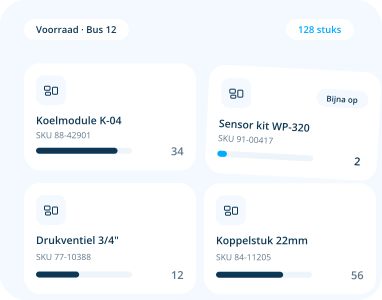
Organize parts, returns and inventory with ease

Planning
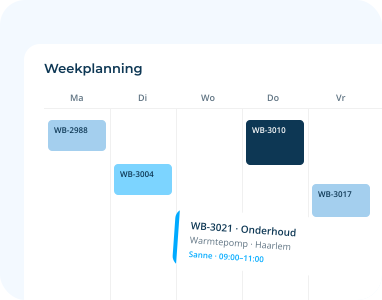
Streamline all your planning processes

Planning
Create work orders in just a few clicks


Planning
Efficient planning with FieldBuddy Pro AI


Technician
The user-friendly app for your field service employees


Technician
Transform and streamline your checklists


Platform
Automate your processes with flow builders


Platform
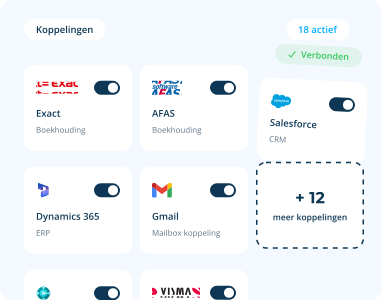
Integrate with all your favorite back office systems

Platform
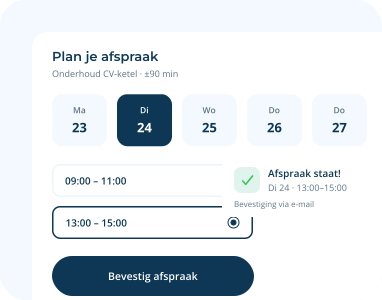
Let your customers schedule appointments online

Platform
Get insight into your service process
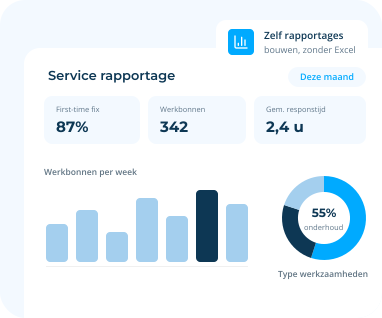


“How proficient are you in Microsoft Excel?” This is a question that interviewers are doing away with while hiring in the sector of Field Service
Read more

When we think of field service workers, we often think mostly of technical occupations. The service technician who checks heating systems and gas boilers. Or
Read more

Every mechanic is familiar with the time-honored and traditional paper Work Order. It was once developed to keep track of exactly what work you did
Read more



 call an expert


