
FieldBuddy Go is used daily by hundreds of companies with a field service team.
Without FieldBuddy Go
Work orders are retyped by hand
Invoices are sent days or weeks later
Incorrect information slows down the process
With FieldBuddy Go
Work order → invoice → ERP: all runs smoothly
All information lands on the invoice immediately
One source where everything is correct for everyone
Step1
Parts used, work done and customer signature: the work order is set to "completed".
Step2
As soon as the work order is approved, FieldBuddy Go fills in your invoice template with billing information and line items.
Step3
The invoice goes directly to Exact, AFAS, or whichever connected system you use. No retyping, no manual file uploads.
NEXT · BEFORE THE JOB
The cycle starts again: the right technician, in the right place at the right time.
Before the jobCORE BACKOFFICE & INTEGRATION FEATURES
Strong, practical tools first. This is the foundation your field service runs on.
INVOICING
The work order is in, so the invoice can go out. Hours, materials and contract terms are automatically processed into an invoice concept. Connected to your accounting package via straightforward integrations with Exact and AFAS. That way no job stays unpaid.
Work order becomes invoice with one click
Invoice goes out directly or via your ERP
Customisable invoicing per customer, including SLA
A complete overview of every work order
INTEGRATIONS
FieldBuddy Go works with well-known platforms in the Netherlands and beyond. Customer details, invoices and parts are synced to make your work easier.
FieldBuddy Go connects with all your software packages
Full sync of customer data, invoices and parts
Open API for anything not included as standard
Live status shows all information at the point of sync
FIELDBUDDY AI
Everything above works without AI. Switch it on, and FieldBuddy Go starts thinking along: it calculates, proposes and replans in the background. AI proposes, your planner decides.
For the planner
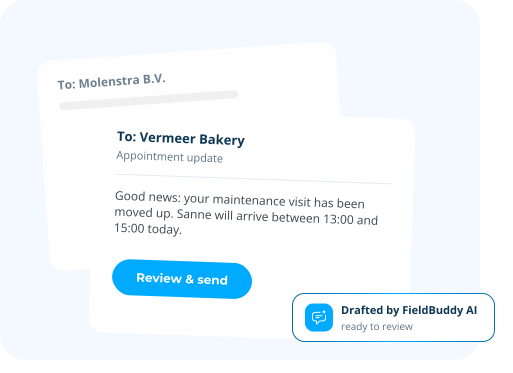
Two appointments shifted, so two customers need to hear it. The status updates are drafted automatically in a professional tone. The planner reviews and sends. Every message looks right, without writing a word.
For the technician
Photograph the type plate and the serial number is filled in correctly, first time. No squinting at worn plates, no typos in your asset data.


For both
AI Planning supports AI-driven service planning and route optimisation, helping technicians follow the most efficient route between jobs and complete more work in less time.


For both
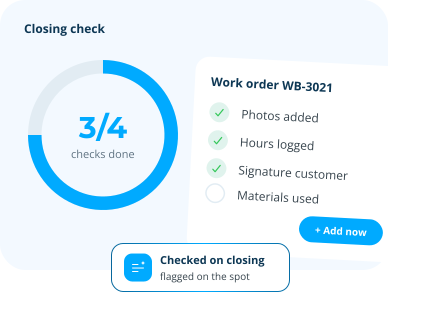
On closing, AI checks the work order is complete: photos, hours, materials, signatures. Missing items are flagged on the spot instead of days later at the back office. Fewer callbacks, fewer second visits, cleaner invoices.

For both
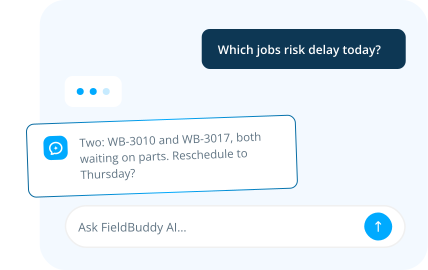
Ask anything about your service operation. The assistant has access to all your work orders and customer data, plus the full FieldBuddy help centre. Ask about a specific job, a customer's history, or how something in the product works. You get an answer in seconds, not after digging through screens.

For the technician
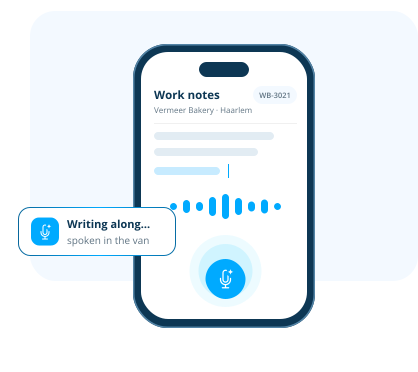
The technician speaks the report in the FieldBuddy Go app and it writes along. No more typing in the van, no more finishing work orders at the kitchen table. You see it working within seconds.

Roeland de Groot
Backoffice & Integrations is one piece of the puzzle. Explore the features that carry your team from the first request to a job well done.
See every job and technician on one live board. Assign in seconds and adjust the moment plans change.
ExploreTurn every job into a digital work order. Checklists, photos and signatures, all captured on site.
ExploreCustomers submit service requests through the portal. They track status, history, and reports themselves.
ExploreNEXT · BEFORE THE JOB
A work order records what happened on site: hours, materials, activities and the customer's signature. An invoice is the document you use to charge for that work. So the work order is the evidence and the invoice is the request for payment. In FieldBuddy Go the second follows from the first: the completed work order produces invoice lines based on your price agreements.
You can see per work order what went through. Sometimes a line stays behind, for example when a technician logged a part that isn't in the item list yet. That's allowed, because they need to get on with the job. The work order then gets its own status and the back office can be alerted automatically. The office links the right item to the registration and the line goes through after all.
Yes, once you've set it up. You build an email template with the work order attached as a PDF and define which status or change sends it. From then on every signed work order sends the customer a copy automatically, in that customer's language. If the attachment is larger than 10 MB it becomes a download link that stays valid for 30 days.
Through price agreements tied to the customer and the contract. Once a work order is submitted, FieldBuddy Go determines the invoice and cost lines from the price agreement that applies to that customer and that period. If you adjust hours or materials afterwards, you recalculate the lines in one click. What is on the invoice is what you agreed with that customer.
Through maintenance cycles. You set per asset or contract how often the maintenance recurs, and FieldBuddy Go creates the orders for it automatically, with the preferred execution date attached. They appear in the list with the status to schedule, so the planner only has to slot them in. When the cycle ends, the generating stops.
FieldBuddy Go connects out of the box to the accounting and ERP packages most field service companies already run, including Exact, AFAS and SAP. Customer details, invoices and parts stay identical in both systems. If your system isn't one of them, you can connect through the FieldBuddy Go open API, with OAuth 2.0 and documentation for your developer.


 call an expert


